*Important Note : Fees are subject to Singapore's prevailing Goods and Services Tax (GST).
1752451200000
60

Cloud & Infrastructure
Cybersecurity & Risk Management
Artificial Intelligence & Automation
Data Analytics & Data Science
Digital Skills & Office Productivity
Project Management & Agile
Software Development & IT Ops
Critical Core Skills
Maritime
Cloud & Infrastructure
Cybersecurity & Risk Management
Artificial Intelligence & Automation
Data Analytics & Data Science
Digital Skills & Office Productivity
Project Management & Agile
Software Development & IT Ops
Critical Core Skills
Maritime
 Microsoft Productivity Suite

Enrol now and save $0 on your course fee
Advanced Excel skills are vital-but with Copilot, they become exponentially more powerful. This course helps participants harness advanced Excel features alongside with AI assistance to streamline analysis, model scenarios, and improve business decision-making. Through hands-on exercises, they will master data modelling, automation, and prompt engineering within Excel 365.
Learning Outcomes:
Analyse large datasets using advanced Excel formulas and tools
Build scenario models and use what-if analysis features
Automate workflows with macros and Excel Copilot prompts
Key Topics:
Data modelling with named ranges and advanced formulas
Scenario management and goal seek
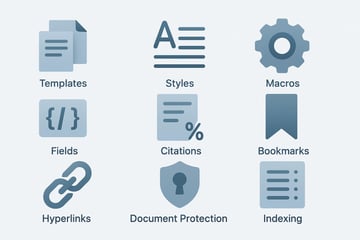
Macros and automation tools
Copilot for data analysis and prompt-based tasks
Lesson 1: Conditional Formatting
Lesson 2: Advanced Chart
Lesson 3: Naming Cells and Ranges
Lesson 4: Validation and Auditing
Lesson 5: Advanced Formulas and functions
Lesson 6: Advanced Filter
Lesson 7: Importing and Linking
Lesson 8: PivotTables
Lesson 9: Scenario Analysis
Lesson 10: Macros
Lesson 11: Introduction to Copilot
Lesson 12: Copilot and Excel 365
Highly recommended for any individuals with at least basic or intermediate grasp of Microsoft Office Excel concepts and wants to learn more advanced functions that is applicable in their daliy work.
Pre-requisite
Knowledge and skills of Microsoft Excel basic and intermediate such as :
We’re here to help — reach out anytime.
By submitting this form, you consent to be contacted via email and/or your mobile number regarding your enquiry. You consent to the collection, use, disclosure and processing of your personal data in accordance with our Personal Data Policy.



.png?width=50&name=Artificial%20Intelligence%20(AI).png)


/AdobeStock_230441943.jpeg?width=360&name=AdobeStock_230441943.jpeg)

/AdobeStock_737314510.jpeg?width=360&name=AdobeStock_737314510.jpeg)






/AI%20(5)-1.png?width=360&name=AI%20(5)-1.png)





































































-1.png?width=360&name=Server%20(4)-1.png)






/AI%20(6)-1-1.png?width=360&name=AI%20(6)-1-1.png)
/AI%20(8)-1.png?width=360&name=AI%20(8)-1.png)
-1.png?width=360&name=Automation%20RPA%20(2)-1.png)





















































![VMware vRealize Operations: Install, Configure, Manage [V8.6]](https://www.eservtraininghub.com/hs-fs/hubfs/331_result.jpg?width=360&name=331_result.jpg)
![VMware vRealize Automation - Install, Configure, Manage [V8.3]](https://www.eservtraininghub.com/hs-fs/hubfs/AI-Generated%20Media/Images/Automation%20system%20deploying%20infrastructure%20in%20realtime%20with%20robotic%20arms%20and%20config%20lines%20building%20digital%20components%20Blue%20enterprise%20tech%20setting.jpeg?width=360&name=Automation%20system%20deploying%20infrastructure%20in%20realtime%20with%20robotic%20arms%20and%20config%20lines%20building%20digital%20components%20Blue%20enterprise%20tech%20setting.jpeg)














































![VMware vSphere: Install, Configure, Manage [V8]](https://www.eservtraininghub.com/hs-fs/hubfs/756_result.jpg?width=360&name=756_result.jpg)








![VMware NSX: Install, Configure, Manage [V4.0]](https://www.eservtraininghub.com/hs-fs/hubfs/812_result.jpg?width=360&name=812_result.jpg)