*Important Note : Fees are subject to Singapore's prevailing Goods and Services Tax (GST).
1779408000000
60

Cloud & Infrastructure
Cybersecurity & Risk Management
Artificial Intelligence & Automation
Data Analytics & Data Science
Digital Skills & Office Productivity
Project Management & Agile
Software Development & IT Ops
Critical Core Skills
Maritime
Cloud & Infrastructure
Cybersecurity & Risk Management
Artificial Intelligence & Automation
Data Analytics & Data Science
Digital Skills & Office Productivity
Project Management & Agile
Software Development & IT Ops
Critical Core Skills
Maritime
.png?width=22&height=21&name=Artificial%20Intelligence%20(AI).png) Artificial Intelligence
Artificial Intelligence
Enrol now and save $0 on your course fee
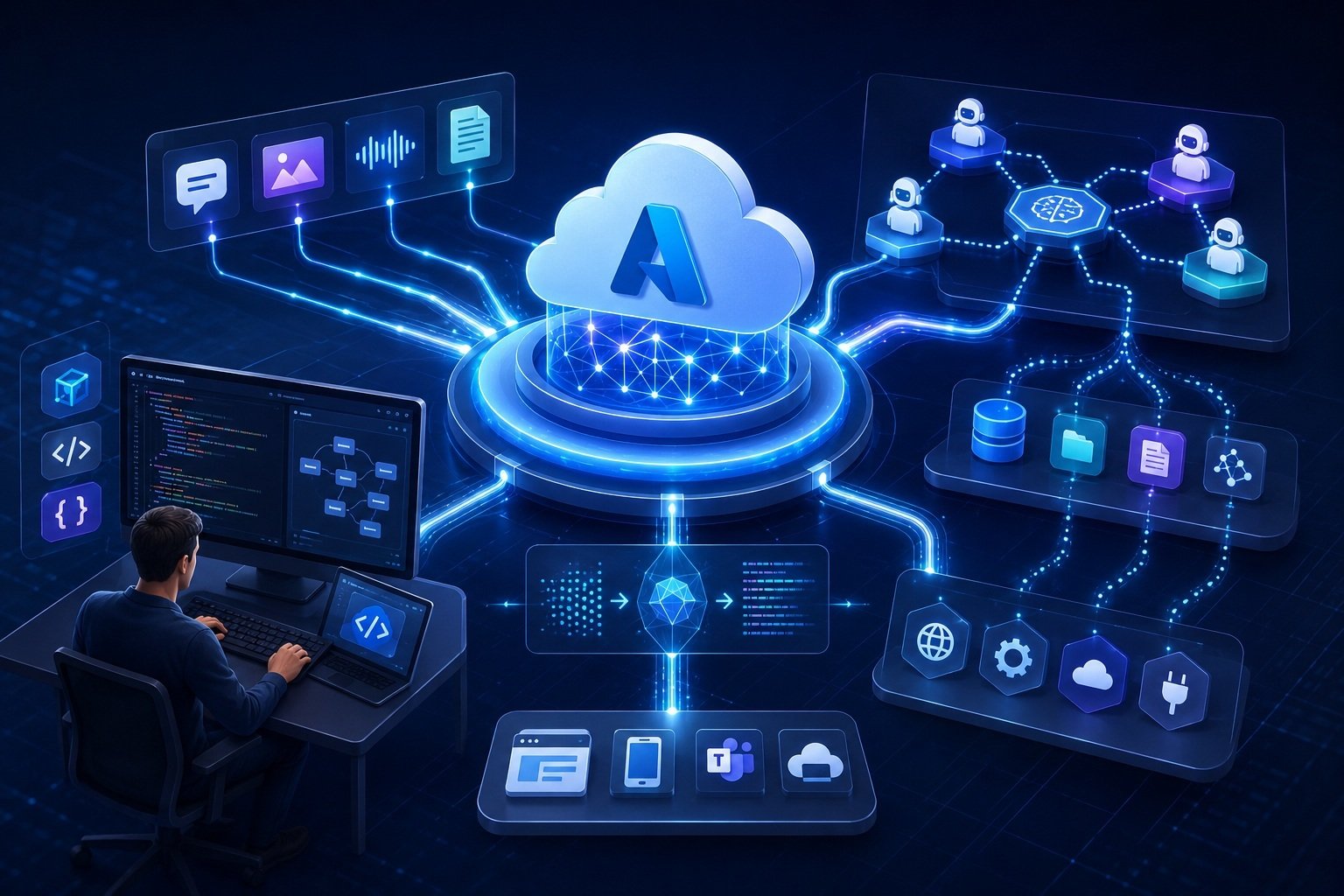
Module 01: Plan and prepare to develop AI solutions on Azure
Module 02: Select, deploy, and evaluate Microsoft Foundry models
Module 03: Develop a generative AI chat app with Microsoft Foundry
Module 04: Develop generative AI apps that use tools
Module 05: Optimize generative AI model performance with Microsoft Foundry
Module 06: Implement a responsible generative AI solution in Microsoft Foundry
Module 07: Develop AI agents with Microsoft Foundry and Visual Studio Code
Module 08: Integrate custom tools into your agent
Module 09: Integrate MCP Tools with Azure AI Agents
Module 10: Build knowledge-enhanced AI agents with Foundry IQ
Module 11: Integrate your agent with Microsoft 365
Module 12: Build agent-driven workflows using Microsoft Foundry
Module 13: Develop an AI agent with Microsoft Agent Framework
Module 14: Orchestrate a multi-agent solution using the Microsoft Agent Framework
Module 15: Discover Azure AI Agents with A2A
Module 16: Analyze text with Azure Language in Foundry Tools
Module 17: Develop a text analysis agent with the Azure Language MCP server
Module 18: Develop a speech-capable generative AI application
Module 19: Create speech-enabled apps with Azure Speech in Microsoft Foundry Tools
Module 20: Develop a speech agent with the Azure Speech MCP server
Module 21: Develop an Azure Speech Voice Live Agent in Microsoft Foundry
Module 22: Translate text and speech with Microsoft Foundry Tools
Module 23: Develop a vision-enabled generative AI application
Module 24: Generate images with AI
Module 25: Generate videos with Microsoft Foundry
Module 26: Analyze images with Content Understanding
Module 27: Create a multimodal analysis solution with Azure Content Understanding
Module 28: Create an Azure Content Understanding client application
Module 29: Extract data with Azure Document Intelligence
Module 30: Create a knowledge mining solution with Azure AI Search
We’re here to help — reach out anytime.
By submitting this form, you consent to be contacted via email and/or your mobile number regarding your enquiry. You consent to the collection, use, disclosure and processing of your personal data in accordance with our Personal Data Policy.





.png?width=50&name=Artificial%20Intelligence%20(AI).png)


/AdobeStock_230441943.jpeg?width=360&name=AdobeStock_230441943.jpeg)

/AdobeStock_737314510.jpeg?width=360&name=AdobeStock_737314510.jpeg)





/AI%20(5)-1.png?width=360&name=AI%20(5)-1.png)









































































-1.png?width=360&name=Server%20(4)-1.png)






/AI%20(6)-1-1.png?width=360&name=AI%20(6)-1-1.png)
/AI%20(8)-1.png?width=360&name=AI%20(8)-1.png)
-1.png?width=360&name=Automation%20RPA%20(2)-1.png)






















































![VMware vRealize Operations: Install, Configure, Manage [V8.6]](https://www.eservtraininghub.com/hs-fs/hubfs/331_result.jpg?width=360&name=331_result.jpg)
![VMware vRealize Automation - Install, Configure, Manage [V8.3]](https://www.eservtraininghub.com/hs-fs/hubfs/AI-Generated%20Media/Images/Automation%20system%20deploying%20infrastructure%20in%20realtime%20with%20robotic%20arms%20and%20config%20lines%20building%20digital%20components%20Blue%20enterprise%20tech%20setting.jpeg?width=360&name=Automation%20system%20deploying%20infrastructure%20in%20realtime%20with%20robotic%20arms%20and%20config%20lines%20building%20digital%20components%20Blue%20enterprise%20tech%20setting.jpeg)

















































![VMware vSphere: Install, Configure, Manage [V8]](https://www.eservtraininghub.com/hs-fs/hubfs/756_result.jpg?width=360&name=756_result.jpg)









![VMware NSX: Install, Configure, Manage [V4.0]](https://www.eservtraininghub.com/hs-fs/hubfs/812_result.jpg?width=360&name=812_result.jpg)