Basic
Build Reliable Spreadsheets
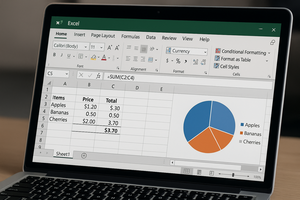
Create accurate worksheets with confident formatting, formulas and organised data.
For participants needing dependable Excel foundations for everyday calculations and reporting.

Cloud & Infrastructure
Cybersecurity & Risk Management
Artificial Intelligence & Automation
Data Analytics & Data Science
Digital Skills & Office Productivity
Project Management & Agile
Software Development & IT Ops
Critical Core Skills
Maritime
Cloud & Infrastructure
Cybersecurity & Risk Management
Artificial Intelligence & Automation
Data Analytics & Data Science
Digital Skills & Office Productivity
Project Management & Agile
Software Development & IT Ops
Critical Core Skills
Maritime

How do I improve my Microsoft 365 skills?
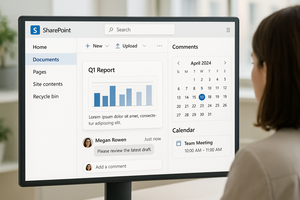
eServ Training Hub's Microsoft courses cover the full Microsoft 365 suite, including Excel, Word, PowerPoint, Outlook, SharePoint, Teams, Visio, and Microsoft 365 Copilot, supporting professionals from beginner to advanced levels.
Whether you're an individual upskilling for career growth or a team looking to improve productivity, our hands-on training equips learners at all levels — from beginner to advanced. Corporate classes are available for companies seeking tailored in-house sessions to empower their workforce with essential Microsoft 365 skills for real-world efficiency.
Build practical Microsoft 365 skills that make a difference.
From analysing data in Excel and creating impactful presentations in PowerPoint to collaborating in Teams and automating work with Microsoft 365 Copilot, our courses focus on skills that can be applied immediately in the workplace. Learners gain hands-on experience through practical exercises designed to improve productivity, communication and day-to-day efficiency.
Basic
Create accurate worksheets with confident formatting, formulas and organised data.
For participants needing dependable Excel foundations for everyday calculations and reporting.
Intermediate
Use advanced functions, reporting tools and practical automation to produce clearer answers.
For participants ready to improve accuracy, speed and insight in recurring Excel work.
Advanced
Apply VBA, Power tools and data modelling to automate complex work and deepen analysis.
For participants managing complex datasets who need scalable modelling and automation.
Learning Path
Move from everyday spreadsheet creation and core formulas to stronger analysis, reporting and advanced workbook techniques across three focused one-day courses.
Cover spreadsheet creation, formatting, formulas and analysis in the combined course, then extend into advanced workbook management and higher-level Excel techniques.
Use Excel and Copilot to build, format and analyse spreadsheets, then apply AI assistance to more advanced data, reporting and productivity tasks.
Establish practical statistical analysis in Excel, then specialise in either advanced data management and analysis or deeper statistical methods for more complex datasets.
Develop practical spreadsheet skills for calculations, formatting, charts and data handling, then advance to more complex workbook management and analytical tasks.
Clean, combine and reshape data with Power Query, then build relational models and analytical calculations using Power Pivot and DAX.
Record and adapt macros to remove repetitive work, then use VBA to build more flexible automation, controls and reusable Excel solutions.
Strengthen practical formula and function use, then apply Excel’s wider analysis tools to examine data, surface patterns and support reporting.
Showing pathway 1 of 3: Basic.
Basic
Create accurate worksheets with confident formatting, formulas and organised data.
For participants needing dependable Excel foundations for everyday calculations and reporting.
Intermediate
Use advanced functions, reporting tools and practical automation to produce clearer answers.
For participants ready to improve accuracy, speed and insight in recurring Excel work.
Advanced
Apply VBA, Power tools and data modelling to automate complex work and deepen analysis.
For participants managing complex datasets who need scalable modelling and automation.
Basic
Create accurate worksheets with confident formatting, formulas and organised data.
For participants needing dependable Excel foundations for everyday calculations and reporting.
Intermediate
Use advanced functions, reporting tools and practical automation to produce clearer answers.
For participants ready to improve accuracy, speed and insight in recurring Excel work.
Advanced
Apply VBA, Power tools and data modelling to automate complex work and deepen analysis.
For participants managing complex datasets who need scalable modelling and automation.
Showing Basic level, 1 of 3.
Basic
Format professional documents with tables, graphics, styles and AI-assisted drafting.
For participants building practical Word skills for accurate day-to-day documents.
Intermediate
Use styles, navigation and layout tools to organise longer documents consistently.
For participants with basic Word skills who need faster editing and stronger document control.
Advanced
Manage long documents, references, revisions, mail merge and repeatable automation.
For participants creating complex reports that require control, collaboration and consistency.
Learning Path
Use styles, sections, tables, headers and document-review tools to structure everyday documents, then add advanced references, mail merge and long-document features.
Build professional documents with formatting, tables, layouts and navigation tools, then manage long documents, references, revisions, mail merge and automation.
Create and format structured documents with Copilot-assisted drafting and editing, then use AI alongside advanced styles, references, reviews, macros and long-document tools.
Develop reliable day-to-day document creation, formatting, tables, images and file-management skills, then advance to long-document structure, references, collaboration and protection.
Showing pathway 1 of 3: Basic.
Basic
Format professional documents with tables, graphics, styles and AI-assisted drafting.
For participants building practical Word skills for accurate day-to-day documents.
Intermediate
Use styles, navigation and layout tools to organise longer documents consistently.
For participants with basic Word skills who need faster editing and stronger document control.
Advanced
Manage long documents, references, revisions, mail merge and repeatable automation.
For participants creating complex reports that require control, collaboration and consistency.
Basic
Format professional documents with tables, graphics, styles and AI-assisted drafting.
For participants building practical Word skills for accurate day-to-day documents.
Intermediate
Use styles, navigation and layout tools to organise longer documents consistently.
For participants with basic Word skills who need faster editing and stronger document control.
Advanced
Manage long documents, references, revisions, mail merge and repeatable automation.
For participants creating complex reports that require control, collaboration and consistency.
Showing Basic level, 1 of 3.
Basic
Build clear slides with consistent layouts, visuals, animation and confident delivery.
For participants developing presentation skills for business, training or academic use.
Intermediate
Refine slide design, data visuals and flow to communicate complex ideas clearly.
For participants with basic PowerPoint skills who need stronger structure and engagement.
Advanced
Use masters, multimedia and advanced storytelling to create sophisticated presentations.
For experienced users producing high-impact slideshows and data-led visual narratives.
Learning Path
Build richer slides with drawing objects, SmartArt, charts and media, then create interactive presentations using custom shows, hyperlinks, Zoom, recording and advanced delivery tools.
Create well-structured presentations with consistent layouts, visuals, charts and animations, then master slide masters, templates, multimedia, interactivity and complex slide shows.
Use Copilot to draft, refine and format clear presentations, then combine AI assistance with advanced templates, slide masters, multimedia, animation and audience-specific delivery.
Develop practical slide creation, formatting, visual and delivery skills, then progress to advanced themes, masters, multimedia, animation, collaboration and presentation control.
Learn to translate data into clear charts, visual layouts and static, motion or interactive infographics, then shape researched content into persuasive editorial stories for defined audiences.
Showing pathway 1 of 3: Basic.
Basic
Build clear slides with consistent layouts, visuals, animation and confident delivery.
For participants developing presentation skills for business, training or academic use.
Intermediate
Refine slide design, data visuals and flow to communicate complex ideas clearly.
For participants with basic PowerPoint skills who need stronger structure and engagement.
Advanced
Use masters, multimedia and advanced storytelling to create sophisticated presentations.
For experienced users producing high-impact slideshows and data-led visual narratives.
Basic
Build clear slides with consistent layouts, visuals, animation and confident delivery.
For participants developing presentation skills for business, training or academic use.
Intermediate
Refine slide design, data visuals and flow to communicate complex ideas clearly.
For participants with basic PowerPoint skills who need stronger structure and engagement.
Advanced
Use masters, multimedia and advanced storytelling to create sophisticated presentations.
For experienced users producing high-impact slideshows and data-led visual narratives.
Showing Basic level, 1 of 3.
Basic
Use Microsoft 365, SharePoint, Copilot and Power Platform tools to collaborate effectively.
For participants building practical digital collaboration skills across Microsoft 365.
Intermediate
Automate recurring work, contribute to SharePoint sites and extend Copilot across teams.
For Microsoft 365 users ready to streamline routine work and support shared sites.
Advanced
Create Power Apps and automated processes while managing SharePoint permissions and sites.
For participants designing business solutions or administering Microsoft 365 sites.
Learning Path
Understand how Power Platform, Dataverse, connectors and governance support business solutions, then automate workflows in Power Automate before building and sharing low-code apps with Power Apps.
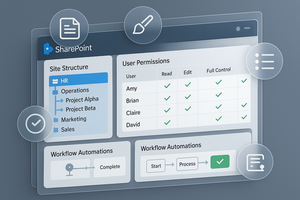
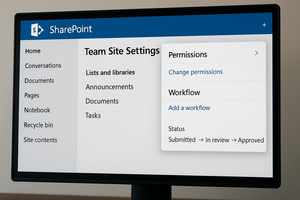
Organise documents, libraries, metadata, permissions and versioning in SharePoint, then connect content to automated flows and custom Power Apps that reduce manual process work.
Build everyday collaboration skills across Teams, OneDrive, Outlook and SharePoint, then manage site content as a member before progressing to site design, permissions and administration.
Showing pathway 1 of 3: Basic.
Basic
Use Microsoft 365, SharePoint, Copilot and Power Platform tools to collaborate effectively.
For participants building practical digital collaboration skills across Microsoft 365.
Intermediate
Automate recurring work, contribute to SharePoint sites and extend Copilot across teams.
For Microsoft 365 users ready to streamline routine work and support shared sites.
Advanced
Create Power Apps and automated processes while managing SharePoint permissions and sites.
For participants designing business solutions or administering Microsoft 365 sites.
Basic
Use Microsoft 365, SharePoint, Copilot and Power Platform tools to collaborate effectively.
For participants building practical digital collaboration skills across Microsoft 365.
Intermediate
Automate recurring work, contribute to SharePoint sites and extend Copilot across teams.
For Microsoft 365 users ready to streamline routine work and support shared sites.
Advanced
Create Power Apps and automated processes while managing SharePoint permissions and sites.
For participants designing business solutions or administering Microsoft 365 sites.
Showing Basic level, 1 of 3.
Learn More for Less
No more uncertainties or scheduling hassles
We’re here to help — reach out anytime.
By submitting this form, you consent to be contacted via email and/or your mobile number regarding your enquiry. You consent to the collection, use, disclosure and processing of your personal data in accordance with our Personal Data Policy.
Don't just hear it from us, see what other says.
The trainer understand and provide the necessary guidance and help when I encountered some issues or when I prompted a question that I am facing at work with the application.

Cheryl Lim
Red Dot Ventures LLP
The trainer understand and provide the necessary guidance and help when I encountered some issues or when I prompted a question that I am facing at work with the application.
Cheryl Lim
Red Dot Ventures LLP
The trainer understand and provide the necessary guidance and help when I encountered some issues or when I prompted a question that I am facing at work with the application.
Cheryl Lim
Red Dot Ventures LLP
The trainer understand and provide the necessary guidance and help when I encountered some issues or when I prompted a question that I am facing at work with the application.
Cheryl Lim
Red Dot Ventures LLP
The trainer understand and provide the necessary guidance and help when I encountered some issues or when I prompted a question that I am facing at work with the application.
Cheryl Lim
Red Dot Ventures LLP
The trainer understand and provide the necessary guidance and help when I encountered some issues or when I prompted a question that I am facing at work with the application.
Cheryl Lim
Red Dot Ventures LLP