Course Overview Print

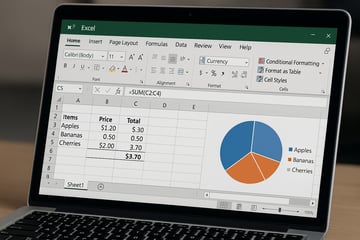
Creating impactful dashboards isn't just about visuals—it’s about clarity and insight. This course helps participants design dashboards that are both visually compelling and functionally effective using Microsoft Excel. They will apply best practices and design principles to real-world cases.

Learning Outcomes:

  • Import, clean, and shape data using Power Query

  • Build data models and relationships with Power Pivot

  • Create interactive dashboards using Power View / Power BI

  • Apply advanced calculations using DAX

Key Topics:

  • Data import and transformation workflows

  • Data modelling and relational design

  • DAX formulas and calculated fields

  • Dashboard creation and interactivity

Course Outline

Module 1. Introduction to Power Query, Power Pivot, Power View & Power Map

Module 2 Power Query

  • Power Query Interface
  • Importing Data
  • Appending Files in Folders
  • Data Transformation

Module 3. Working with Power Pivot

  • Power Pivot Interface
  • Getting Data for Power Pivot
  • Working with Relationships
  • Configuring Calculated Columns and Calculated Fields
  • Introducing DAX Functions
  • Build Measures with DAX Functions
  • Using KPIs
  • Working with Hierarchies

Module 4. Power View / Power BI

  • Power View Interface
  • Working with Tables
  • Understanding Aggregations
  • utilising Matrix
  • Working with Drill Through
  • Using Cards
  • Applying Filters & Highlights
  • Cross-Filtering

Module 5.Power Map

  • Power Map Interface
  • Working with Power Map

Module 6. Present and Communicate with Dashboard

  • Create your dashboard with Excel Power Tools
  • Know the Best Practices

Target Audience and Pre-requisites

This course is targeted at data researcher, analysts, managers, professionals, executives and support staff involved in data collection, preparation and presentation for analysis and decision-making. An individual who seek to upgrade their career path and develop their skills in data analytics can also benefit from the course.

Pre-requisites

  • Participants should have basic IT literacy and be proficient in Microsoft Excel.
  • Workplace Literacy and Numeracy: Level 5 (WPLN: Speaking, Writing, Listening, Reading, and Numeracy at ESS level 5 or equivalent*)


*participants with minimum primary school education completed would have fulfilled this requirement.

SWDA Funding Requirements

  • Trainees must scan their attendance twice daily using the SingPass application.
  • Trainees must attain at least 75% attendance.
  • Trainees must pass the in-house assessment to be eligible for funding.
  • Trainee and/or sponsoring company is/are required to meet all SWDA-mandated eligibility criteria and requirements for funding.  For more information, please refer to SkillsFuture homepage.

Appeal Policy and Procedure

  • As a candidate in this course assessment, you may appeal your results if you disagree with them.
  • To do so, submit your written appeal request via email to esv_comat_cse@stengg.com within 3 working days from date of assessment.

Cancellation, Postponement and Refund Policy

  • Request for cancellation or postponement must be submitted in writing more than 4 weeks before the class start date to avoid any charges.
  • Written notice for cancellation or postponement received 2 to 4 weeks before class start date will incur Late Cancellation Charge - 50% of course fee.
  • Written notice for cancellation or postponement received less than 2 weeks before class start date will incur Late Cancellation Charge - 100% of course fee.
  • If payment has been made and ST Engineering e-Services Pte Ltd accepts the trainee's written notification to cancel or withdraw from the course, ST Engineering e-Services Pte Ltd will issue a refund, less any applicable Late Cancellation Charges.

Feedback Policy and Procedure

  • You may submit feedback via email to esv_comat_cse@stengg.com or your servicing Account Manager.
  • Any formal feedback will be handled within 10 working days from receipt with a written reply given.  An interim reply will be provided should more time be required.

*Important Note : Fees are subject to Singapore's prevailing Goods and Services Tax (GST).

Funding available

Course fee funding

Pay or claim with

Eligibility conditions apply. Fees & Funding →
Data Analysis with Excel Power Tools (SFw)

Have Question?

We’re here to help — reach out anytime.

By submitting this form, you consent to be contacted via email and/or your mobile number regarding your enquiry. You consent to the collection, use, disclosure and processing of your personal data in accordance with our Personal Data Policy.